Backlinks Checker: Monitor Your Link Profile Without the Manual Digging
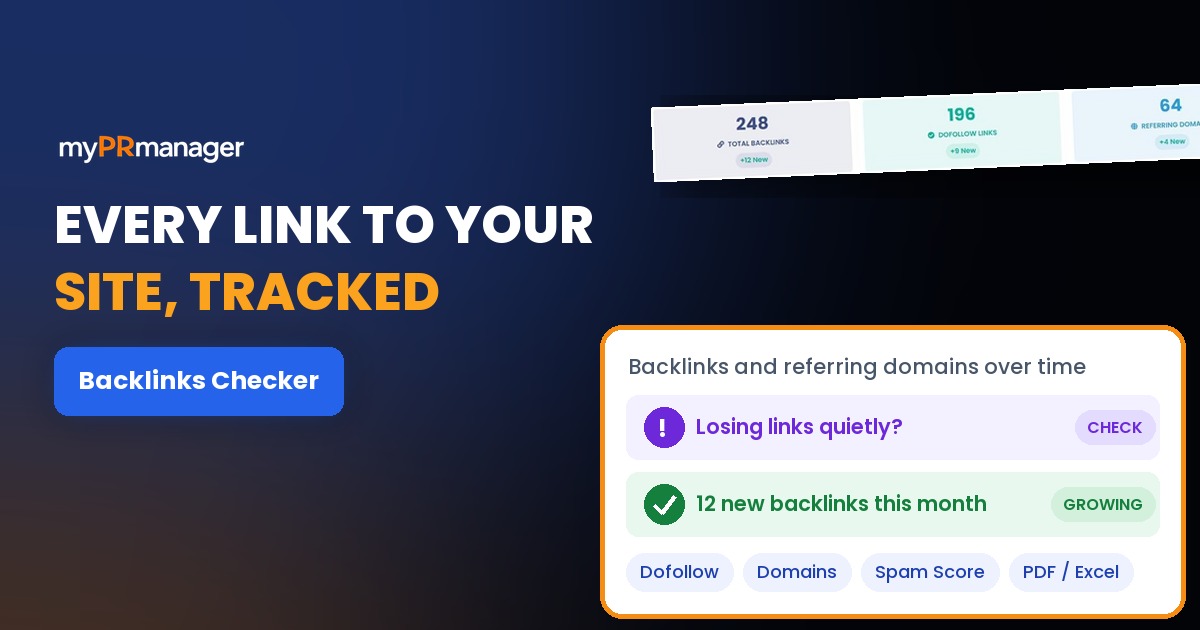
Table of Contents
- Key takeaways
- What is a backlink profile?
- How Backlinks Checker works
- 1. Choose your website
- 2. Check your Backlinks Summary
- 3. Understand your link profile
- 4. Review every backlink
- 5. Track the trend over time
- What to check first
- Backlinks Checker vs. other My PR Manager tools
- Who Backlinks Checker is for
- Frequently asked questions
- What's the difference between backlinks and referring domains?
- What is a dofollow link?
- What does spam score mean?
- Should I disavow links with a high spam score?
- Can I export my backlinks?
- Start tracking your backlinks
Backlinks, links from other websites to yours, are one of the strongest signals search engines use to decide which pages deserve to rank. But a backlink profile never stands still. New links appear when people mention you, old ones disappear when pages are removed or sites go offline, and without ongoing tracking you only find out long after it matters. Backlinks Checker in My PR Manager keeps a running record of your website's backlinks and referring domains, compares them between periods, and shows you exactly which sites link to you, how strong those links are and whether any look risky.
Key takeaways
- Track total backlinks, dofollow links and referring domains for your website, with new links highlighted.
- Compare your link profile with 1 day, 1 week, 1 month, 3 months, 6 months or 1 year earlier.
- See your follow vs. nofollow mix, your strongest linking pages and the pages on your site that attract the most links.
- Review every backlink with anchor text, page authority, domain authority, spam score and when it was last seen.
- Export backlink and referring domain lists to PDF or Excel.
What is a backlink profile?
Your backlink profile is the full set of links pointing to your website. It's described by a few key numbers: total backlinks (every link), referring domains (how many different websites link to you) and the share of dofollow links (links that pass ranking value) versus nofollow links.
Quality matters more than quantity. Ten links from ten relevant, trusted websites are usually worth far more than a hundred links from one site, and a handful of links from spammy directories can do more harm than good. That's why a good backlink checker shows who links to you and how strong those links are, not just a count.
How Backlinks Checker works
1. Choose your website
Backlinks Checker works with the websites in your My PR Manager account. Select a website, and its backlink data is collected and updated automatically.
2. Check your Backlinks Summary
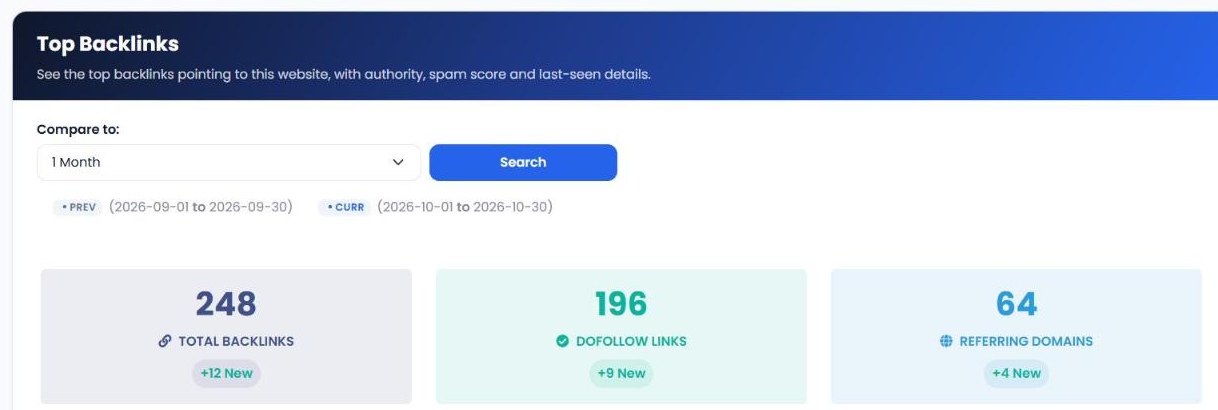
The Backlinks Summary shows your total backlinks, dofollow links and referring domains, with how many are new since the comparison date. Choose to compare with 1 day, 1 week, 1 month, 3 months, 6 months or 1 year earlier.
3. Understand your link profile
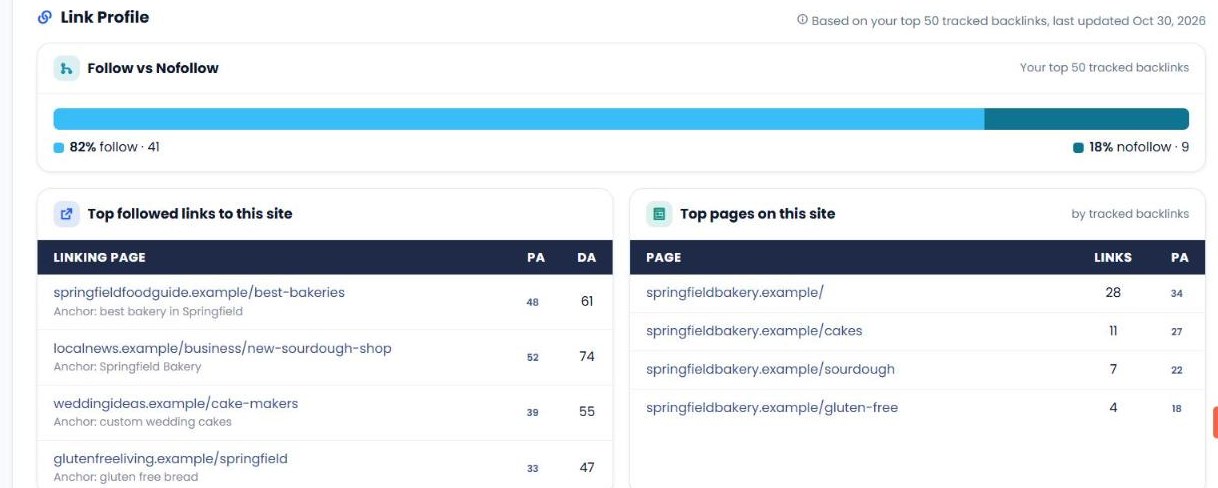
Below the totals, the Link Profile breaks down your top tracked backlinks: the split between follow and nofollow links, your top followed links with their page and domain authority, and the top pages on your site by number of backlinks, so you can see which content attracts links.
4. Review every backlink
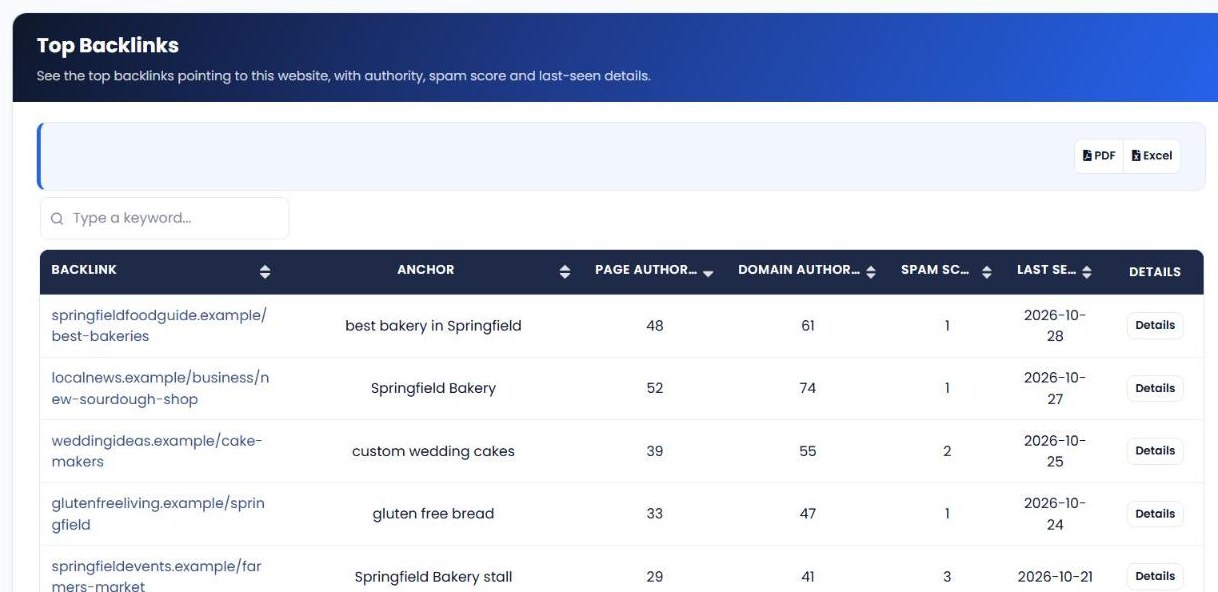
The Backlinks report lists each linking page with its anchor text, page authority, domain authority, spam score and the date it was last seen. Search by keyword, sort any column, and click Details for more. Backlink Domains groups links by referring domain, with each domain's authority. Both reports can be exported to PDF or Excel.
5. Track the trend over time
Performance Reports compare total backlinks, backlink domains and follow backlinks between two periods, plus backlinks and root domains pointing to your home page. Detailed Reports list each check by date, and Graphical Reports chart the history.
| Report | What it shows |
|---|---|
| Backlinks Summary | Total backlinks, dofollow links and referring domains with new links, plus your link profile. |
| Performance Reports | Backlinks, domains and follow links compared between periods, including home page links. |
| Backlinks | Every backlink with anchor, PA, DA, spam score and last seen date. |
| Backlink Domains | Referring domains with domain authority and link counts. |
| Detailed Reports | Backlink metrics for each check, by date. |
| Graphical Reports | Charts of your backlink history. |
What to check first
- Referring domains, not just total links. Growth in the number of different websites linking to you is the best sign your profile is getting stronger.
- Links with a high spam score. Sort the Backlinks report by spam score and look at the riskiest links first.
- Your follow vs. nofollow mix. A natural profile has both. If almost everything is nofollow, look for opportunities to earn followed links from relevant sites.
- Anchor text. Most anchors should be your brand name, your URL or natural phrases. Lots of identical keyword anchors can look manipulated.
- Your most-linked pages. Content that already attracts links shows what your audience values. Create more like it, and link from those pages to the ones you want to rank.
Backlinks Checker vs. other My PR Manager tools
| Tool | Main job | Use it when |
|---|---|---|
| Backlinks Checker | Track your own website's backlinks and referring domains over time. | You want an ongoing view of your link profile. |
| Links Inspector | Run backlink reports for specific URLs, including competitors. | You want a deep-dive report or competitor backlink comparison. |
| Page Rank Tracker | Track Domain Authority and Spam Score. | You want to see whether new links are strengthening your site. |
| Directory Submission | Submit your site to web directories. | You want to build new foundational links. |
Who Backlinks Checker is for
- Small business owners who want to know which websites link to them and whether that's growing.
- SEO consultants and agencies who report link building results to clients, with PDF and Excel exports.
- Link builders who need to confirm new links have been found and spot lost or risky ones.
- Content marketers who want to see which content earns links.
Frequently asked questions
What's the difference between backlinks and referring domains?
Backlinks counts every individual link. Referring domains counts how many different websites those links come from. One website can link to you many times, so referring domains is usually the better measure of how widely you're linked.
What is a dofollow link?
A dofollow (or followed) link is a normal link that search engines can use as a ranking signal. A nofollow link tells search engines not to pass ranking value, although it can still bring visitors.
What does spam score mean?
Spam score estimates how likely a linking site is to be low quality or penalised. A high score isn't proof of a problem, but those links are worth reviewing first.
Should I disavow links with a high spam score?
Not automatically. Google ignores most low-quality links. Consider disavowing only if you see a large number of clearly manipulative links or you've received a manual action.
Can I export my backlinks?
Yes. The Backlinks and Backlink Domains reports can be exported to PDF or Excel.
Start tracking your backlinks
Link building only pays off if you can see the results. Sign in to My PR Manager, open Backlinks Checker, and see exactly who links to your website today, and how your link profile changes from here.
Related guides: Links Inspector · Page Rank Tracker · Directory Submission · Blog Commentor