Page URL Indexer: Get New Pages Found by Google and Bing Faster
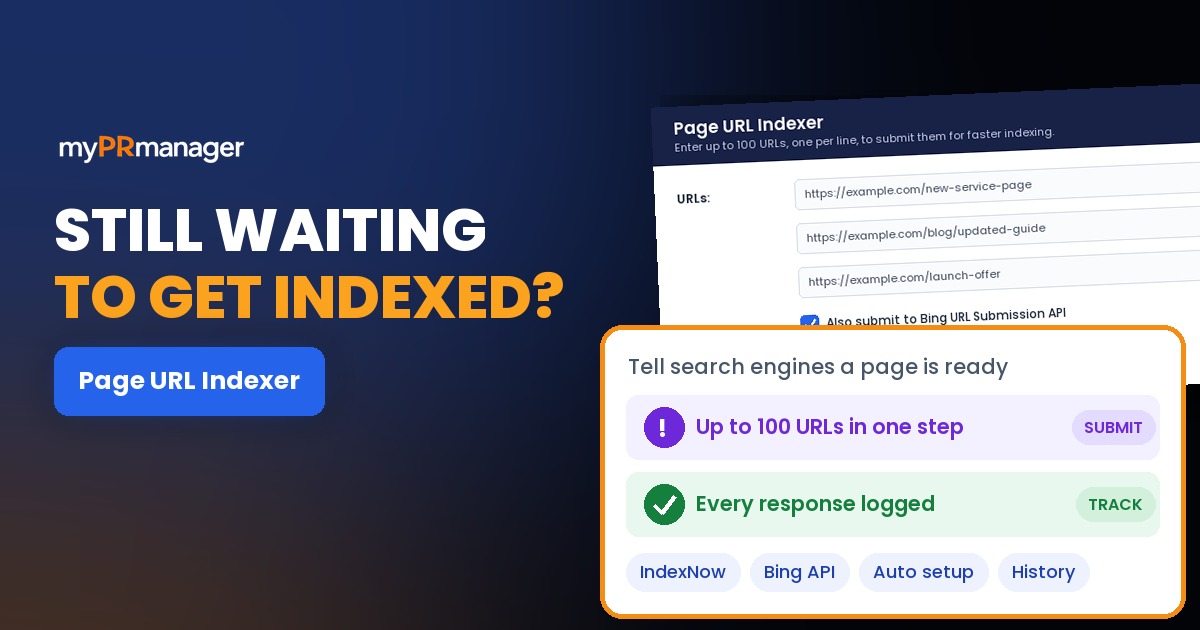
Table of Contents
- Key takeaways
- What is URL indexing, and what is IndexNow?
- How Page URL Indexer works
- 1. Paste the URLs you want crawled
- 2. Setup happens automatically the first time
- 3. Search engines are notified through IndexNow
- 4. Optionally, submit to Bing's URL Submission API too
- 5. Check the submission history
- What to submit first
- What about Google?
- Page URL Indexer vs. other SEO tools in My PR Manager
- Who Page URL Indexer is for
- Frequently asked questions
- How many URLs can I submit at once?
- Which search engines does it notify?
- Does Page URL Indexer submit to Google?
- Does submitting a URL guarantee it will be indexed?
- Do I need to set anything up on my website?
- How do I know a submission worked?
- Should I submit every page on my site?
- Get your new pages crawled faster
Publishing a page doesn't mean search engines know it exists. Without a nudge, a new product page, a refreshed guide or a page you just unblocked can sit undiscovered for days or weeks, waiting for a crawler to stumble onto it. Page URL Indexer in My PR Manager removes that wait. Paste the URLs you want crawled, and it notifies search engines directly through the IndexNow protocol and, if you choose, Bing's own URL Submission API. Then it records the response for every URL, so you know each submission actually went through.
Key takeaways
- Submit up to 100 URLs at once, one per line, instead of waiting for a routine crawl.
- Page URL Indexer uses IndexNow, which notifies Bing, Yandex, Naver, Seznam and Yep in one step.
- You can also send the same URLs to Bing's URL Submission API for an extra signal.
- Setup is automatic: the tool creates your IndexNow key and places the verification file on your site the first time you use it.
- A full submission history shows the response status for every URL, and daily limits are shown up front.
What is URL indexing, and what is IndexNow?
A page has to be crawled (visited by a search engine bot) and then indexed (stored in the search engine's database) before it can appear in search results. Normally, search engines find new and changed pages on their own schedule, by following links and re-reading sitemaps. For a busy news site that happens often. For most business sites it can take a while.
IndexNow is an open protocol that flips this around. Instead of waiting to be discovered, your site tells participating search engines "this URL is new or has changed" the moment it's ready. One IndexNow notification is shared with every participating engine, which currently includes Microsoft Bing, Yandex, Naver, Seznam and Yep. Submitting a URL doesn't guarantee it will be indexed, since each engine still decides that for itself, but it gets the page in front of the crawler much sooner.
How Page URL Indexer works
1. Paste the URLs you want crawled
Open Page URL Indexer and paste up to 100 URLs, one per line. Use full addresses, including https://, for pages on your own site that are live and return a normal page (not an error or a redirect).
2. Setup happens automatically the first time
IndexNow requires a key that proves you own the site. Page URL Indexer generates your IndexNow API key and places the required verification file on your site the first time you use it, so there's no manual configuration step and nothing to upload yourself.
3. Search engines are notified through IndexNow
When you submit, the tool sends your URLs through IndexNow, so every participating search engine is told about them at once rather than waiting for its next routine crawl.
4. Optionally, submit to Bing's URL Submission API too
Tick the Bing option to also send the URLs straight to Bing's own URL Submission API. It's a second, direct signal to Bing on top of IndexNow, which is useful for your most important pages.
5. Check the submission history
Every URL you submit is logged with its response status, so you can see at a glance whether each submission was accepted instead of hoping it worked. Your daily submission limit is shown before you submit, so usage stays predictable.
| Feature | What it does for you |
|---|---|
| Bulk submission | Submit up to 100 URLs in one go, one per line. |
| IndexNow notification | Tells Bing, Yandex, Naver, Seznam and Yep about new or changed pages in a single step. |
| Bing URL Submission API | An optional extra, direct submission to Bing. |
| Automatic key and verification | Creates your IndexNow key and verification file for you on first use. |
| Submission history | Lists every URL you've submitted with its response status. |
| Daily limits shown up front | You always know how many submissions you have left today. |
What to submit first
Submission is most useful when a page is new or has changed in a way that matters. In most cases, prioritise in this order:
- Brand-new pages such as product, service or landing pages right after launch.
- Pages you've just fixed, for example pages that were blocked by robots.txt or a noindex tag, or were returning errors. Find them first with Site Auditor.
- Major content updates such as a rewritten guide, new prices or a refreshed comparison page.
- Time-sensitive pages like events, offers and announcements, where waiting a week defeats the purpose.
- Deleted or redirected pages, so search engines re-check them and drop the old address sooner.
Avoid resubmitting the same unchanged URLs over and over. It doesn't speed anything up, and it uses your daily limit.
What about Google?
Google doesn't currently take part in IndexNow, so IndexNow notifications aren't sent to Google. To help Google find new pages quickly:
- Keep an up-to-date XML sitemap that includes the new URL, and make sure it's submitted in Google Search Console.
- Use URL Inspection in Google Search Console to request indexing for your most important new pages.
- Add internal links to the new page from pages Google already visits often, like your homepage or popular posts.
Use Page URL Indexer for IndexNow engines and Bing, and the steps above for Google, and you'll cover every major search engine.
Page URL Indexer vs. other SEO tools in My PR Manager
| Tool | Best for |
|---|---|
| Page URL Indexer | Telling search engines about specific new or updated URLs right away. |
| Site Auditor | Crawling your whole site to find technical issues, including pages that can't be indexed. |
| Search Engine Saturation | Checking how many of your pages are actually indexed. |
| Webmaster Tools | Seeing your Google Search Console data inside My PR Manager. |
| Keyword Position Checker | Tracking where your pages rank once they're indexed. |
Who Page URL Indexer is for
- Site owners and marketers launching new pages who want them crawled in days, not weeks.
- Content teams that update articles regularly and want the new version picked up quickly.
- SEO agencies that need to push fixes live for clients and show proof of each submission.
Frequently asked questions
How many URLs can I submit at once?
Up to 100 URLs per submission, one per line. Your daily submission limit is shown in the tool before you submit.
Which search engines does it notify?
IndexNow notifies all participating engines, currently Microsoft Bing, Yandex, Naver, Seznam and Yep. You can also submit directly to Bing's URL Submission API.
Does Page URL Indexer submit to Google?
No. Google doesn't currently support IndexNow. For Google, use an XML sitemap and URL Inspection in Google Search Console.
Does submitting a URL guarantee it will be indexed?
No. Submission tells search engines the page is ready to crawl. Each engine still decides whether to index it, based on quality, duplication and technical factors.
Do I need to set anything up on my website?
No. The tool generates your IndexNow key and places the verification file on your site automatically the first time you use it.
How do I know a submission worked?
Check the submission history. It lists every URL with the response status returned, so you can see which submissions were accepted.
Should I submit every page on my site?
No. Submit pages that are new or have changed meaningfully. For the rest, a good sitemap and solid internal linking are enough.
Get your new pages crawled faster
Open Page URL Indexer from the left menu in My PR Manager, paste the pages you've just published or updated, and submit. You'll see the response for each URL in your submission history within moments. New to My PR Manager? Start your free trial.
Related guides: Site Auditor · Keyword Position Checker · Page Rank Auditor · Links Inspector