
Published a Page, but Google Hasn’t Indexed It? Here’s What to Do.
Introduction
You publish a new page.
It’s optimized. It’s structured. It’s ready.
And then…
Nothing.
You search for it. It’s not indexed. It’s not appearing.
It feels invisible.
This is one of the most frustrating parts of SEO.
Search engines don’t instantly discover new pages — especially on smaller or mid-sized websites. And while Google has its own submission process, other search engines rely on signals to know when something new exists.
That’s exactly where the My PR Manager Page Indexing & Search Engine Notification Tool comes in.
It doesn’t promise instant rankings.
It does something more realistic — and more powerful.
It accelerates discovery.
Why Page Indexing Matters More Than You Think
You can:
-
Publish incredible content
-
Optimize perfectly
-
Add structured data
-
Share on social
But if search engines don’t crawl it quickly, your momentum slows.
Fast indexing matters because:
-
Fresh content ranks faster
-
Updated content regains visibility sooner
-
Time-sensitive content stays competitive
-
Trend-based posts capture traffic early
Indexing speed affects opportunity.
What the Page Indexing Tool Actually Does
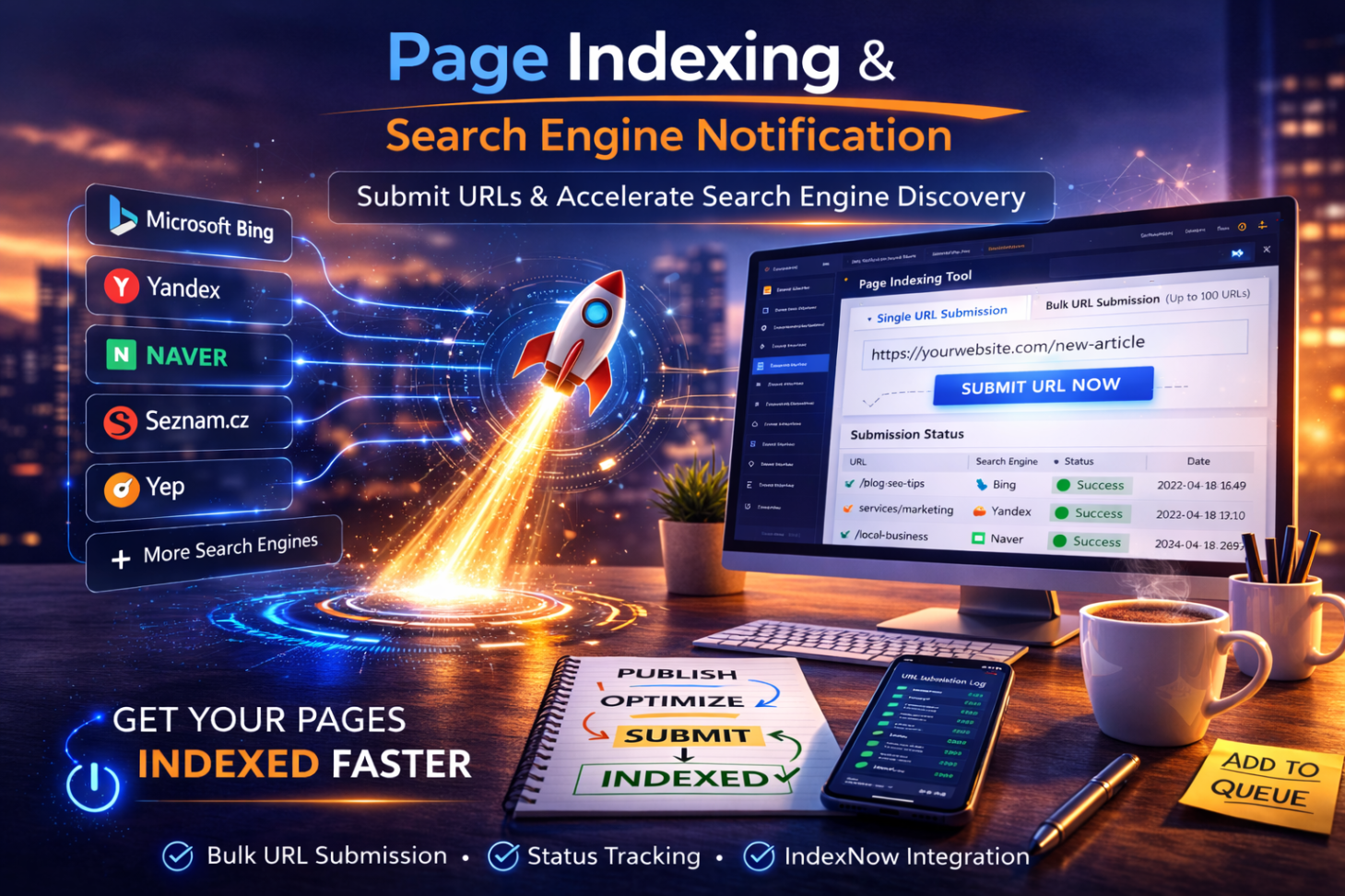
The My PR Manager Page Indexing Tool allows you to:
-
Submit single URLs
-
Submit multiple URLs (up to 100 at once)
-
Notify supported search engines
-
Track submission status
-
Monitor daily submission limits (based on plan)
-
Restrict submissions to the project domain or allow flexible domain submission (based on plan type)
It’s simple by design:
Paste URL → Click Submit → Done.
Supported Search Engines
The tool supports indexing notifications for:
-
Microsoft Bing
-
Yandex
-
Naver
-
Seznam.cz
-
Yep
-
Additional supported IndexNow-compatible engines
Important note:
Google does not allow third-party API-based submissions. Google indexing must occur via Search Console or sitemap crawling.
This tool focuses on supported engines that accept structured URL notifications.
Submission Status Tracking
Unlike manual submission methods, the My PR Manager tool provides:
-
Submission logs
-
Success/failure status
-
URL details
-
Timestamp tracking
This adds transparency — especially useful for agencies managing multiple client sites.
Domain Control Options
Depending on the plan and project type:
-
Full Website Projects → Submit only for the associated domain
-
Media Projects → Submit for multiple domains (plan dependent)
This allows flexibility without sacrificing structure.
How It Fits into Your SEO Workflow
Here’s the ideal use case inside My PR Manager:
-
Research keyword.
-
Publish an optimized article.
-
Run AI Visibility Audit.
-
Schedule social posts.
-
Submit URL via Page Indexing Tool.
-
Monitor ranking movement.
-
Report progress.
This keeps publishing and indexing synchronized.
When You Should Use the Indexing Tool
Use it when:
-
Publishing new pages
-
Updating existing pages
-
Making structural changes
-
Refreshing high-value content
-
Launching service pages
-
Publishing time-sensitive blog posts
It’s especially valuable for smaller sites that don’t get crawled as frequently.
What This Tool Is Not
It is not:
-
A ranking guarantee
-
A Google bypass
-
An instant traffic button
Indexing simply tells search engines:
“This page exists or was updated.”
Ranking still depends on:
-
Content quality
-
Authority
-
Backlinks
-
Structure
-
Relevance
But without indexing, none of that matters.
Key Takeaways
-
Indexing speed affects the visibility opportunity.
-
The Page Indexing Tool accelerates search engine discovery.
-
Supports multiple search engines via IndexNow-compatible systems.
-
Allows bulk submissions (up to 100 URLs).
-
Includes submission status tracking.
-
Integrates with publishing and reporting workflows.
FAQ
Does this submit to Google?
No. Google requires direct submission through Search Console or sitemap crawling.
How many URLs can I submit at once?
Up to 100 URLs per submission.
Is there a daily limit?
Yes. Daily submission limits depend on your plan.
Can agencies use this for multiple clients?
Yes. Domain submission options vary based on project type and plan.
Will this improve rankings?
It improves discovery speed. Rankings depend on broader SEO factors.